New features in SCAN 4.3
Major new features and changes:
- Runs under Windows 2000 and XP Operating Systems. (XP Professional Preferred)
- A new look and feel to the User Interface
- In ACQUIRE and EDIT, there is now a History field that displays recently executed commands
- SCAN version 4.3 now supports 32-
bit acquisition for data files - EEG Viewer Software allows you to view continuous data files recorded with SCAN LT or SCAN software
Some other new features include:
- Display CNT (Continuous) data with a derived Common Reference
- The Network version of ACQUIRE is set up within the ACQUIRE program
- Load Snapshot -
Allows you to load a BMP file and then superimpose a 2D map on top of the image. - There are now Tool Tips that will show the electrode label in CNT files (in ACQUIRE and EDIT).
- There is a new option to set the number of seconds that are displayed in each screen for CNT files
- SCAN 4.3 no longer supports the older Metrabyte and LabMaster AD acquisition systems; ACQUIRE will only run with SynAmps, SynAmps2, and NuAmps
- An Option to export CNT files (in Edit) to the European Data Format has been added
- The RespWin program has now been incorporated into the SCAN 4.3 software.
- Clear Specific Events -
allows you to remove selected stimulus and/or response type codes from within a marked block - Color Scale Type -
The mapping options now include a "Custom" feature that lets you select the colors for the background, text, and individual scale colors. data windows) - Signal-
to- noise ratios can now be computed for AVG (Average) and EEG (Epoch) data file types. - ASCII Export Options -
There are several new options for ASCII export. - Update Changes icon -
The Update Changes icon on the Toolbar can be used in cases where you have modified a data file, and wish to save it using the same file name. - SCD Transform -
The Source Current Density transform has been discontinued in 4.3 in favor of the Source program. - Click and Drag options with CNT files. Click the right mouse button and drag over a section of a CNT file. On releasing the button, you will see a new list of options. Most of these are self-
explanatory, and include the Annotation, block, and utility options listed. - MATLAB. It is now possible to export/import data files to/from MATLAB directly from EDIT.
- The TCL Batch capability in SCAN 4.2 was one of the more anticipated components of that release. In SCAN 4.3, there have been several more BATCH developments. The most significant is the "Auto-
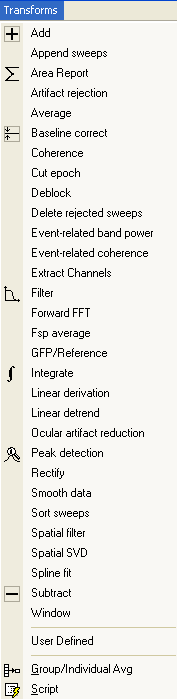
write" feature. When you now run a transform in point- and- click (P&C) mode, the routine is actually executed in BATCH. In the process, the required BATCH command is written automatically, and is seen on the immediate line.
MapGen -
3DSpaceDx -